
CLASS FOLDERS
Organize notes, PDFs, documents, and study spaces by class, then use AI chat to find what you need faster.
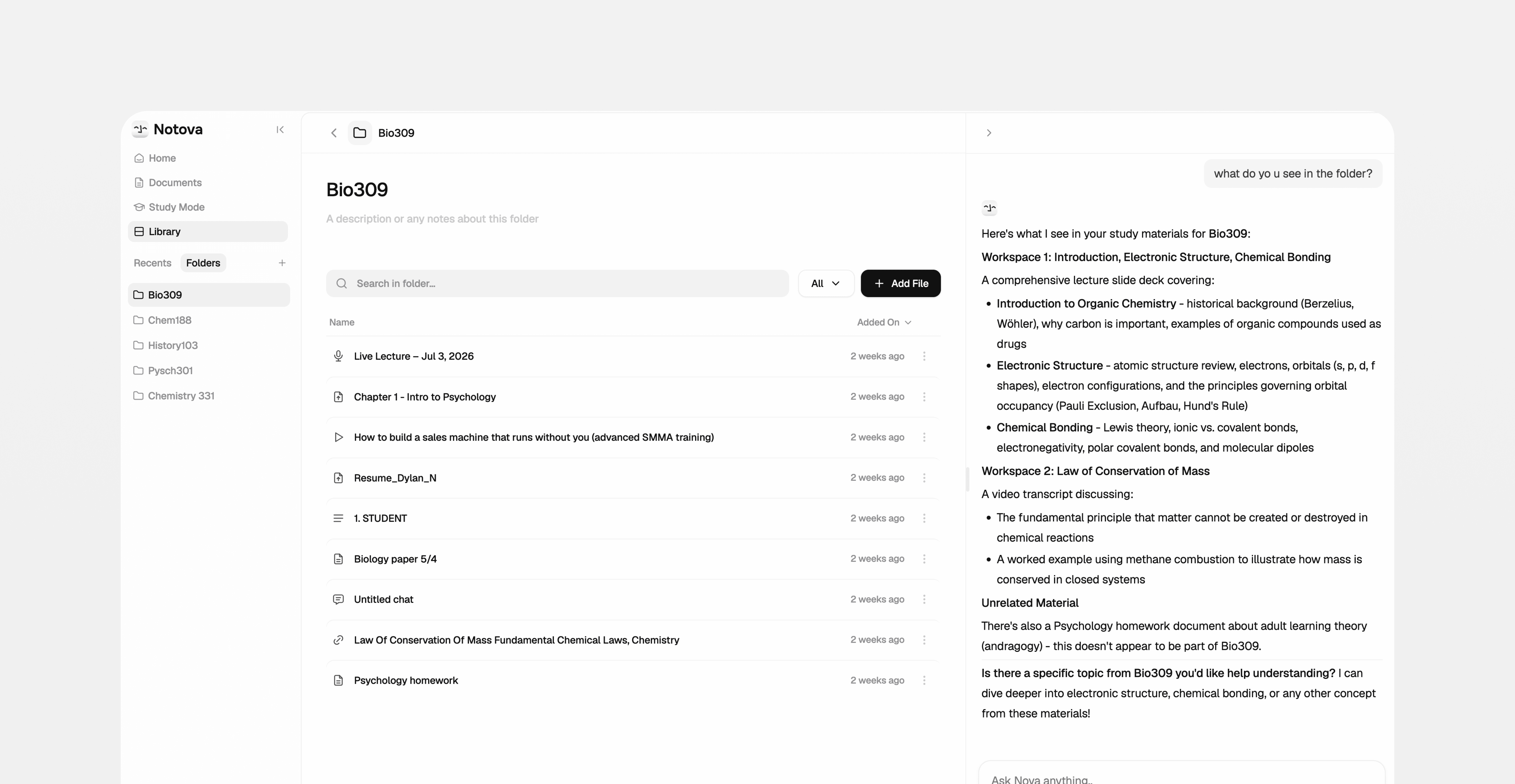
Class Folders help you keep every class organized in one place instead of spreading materials across tabs, apps, and random files. Add your notes, PDFs, documents, and study spaces to one folder, then ask AI to surface what matters.
1. Create a folder
Start a folder for each class.
2. Add your materials
Add files, notes, and study spaces.
3. Ask AI inside the folder
Find, review, and understand materials with chat.
When notes, files, and resources live in too many places, students waste time searching instead of studying. Class Folders keeps everything for a class in one spot.
What can I add to a Class Folder?
Can AI search across everything inside a folder?
Can I create one folder per class?
Is this useful for finals and cumulative exams?
Multi-class semesters
Keep every course organized in its own space.
Finals review
Bring a semester’s materials together fast.
Juggling files
Stop losing track of notes and resources.
One AI workspace
Keep one AI-searchable space per course.